
Overview
To ensure your services remain active, you can settle your invoices via a direct bank transfer. Once the transfer is complete, you must manually record the transaction details in your billing portal for our team to verify and approve.
Step 1: Access Your Invoices
Log in to your account and if you are a tenant admin navigate to the billing section:
https://account.webjala.com/billing
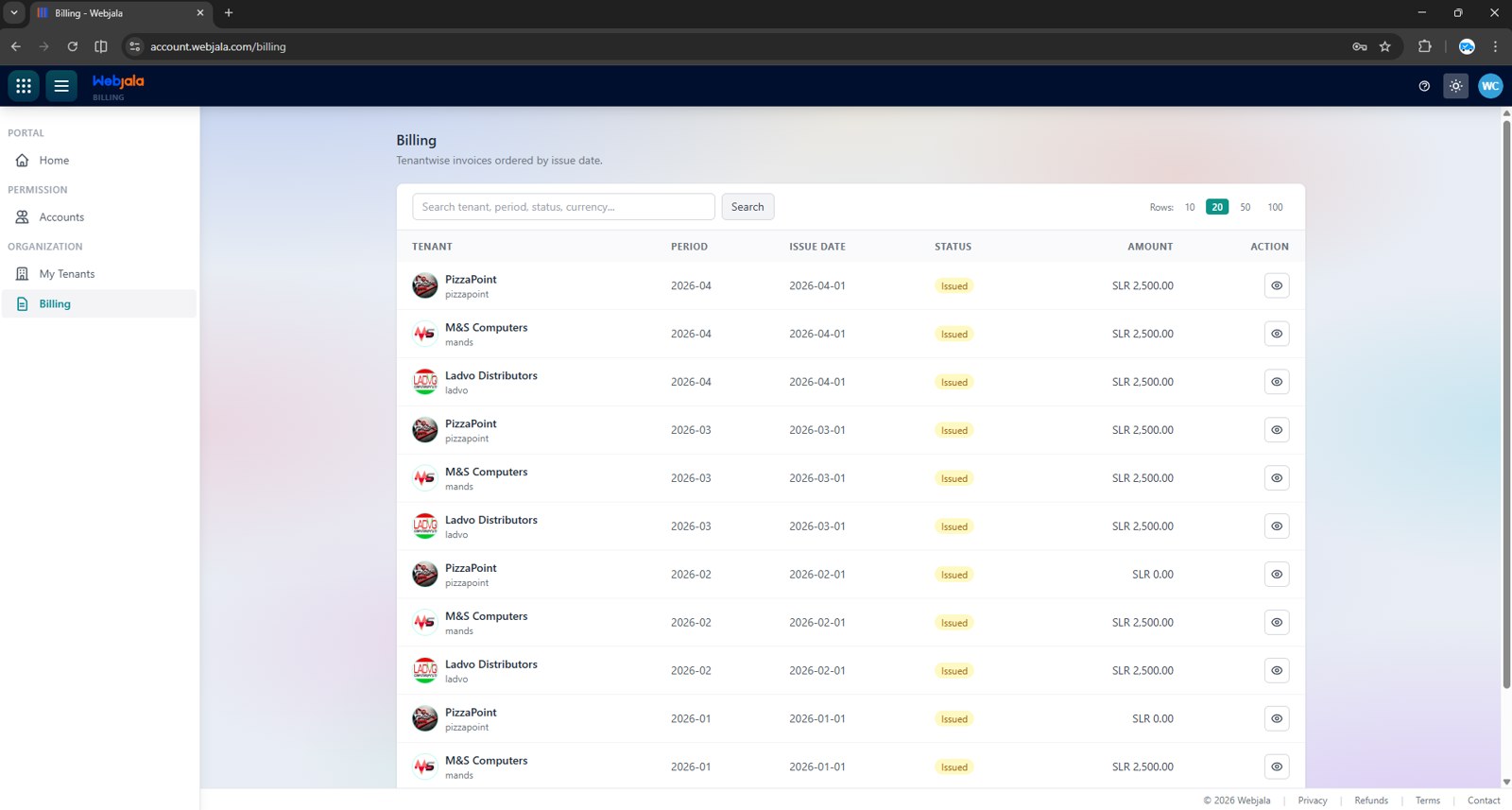
Here, you will see a list of all issued invoices and their current status. Identify the Invoice Amount you wish to settle.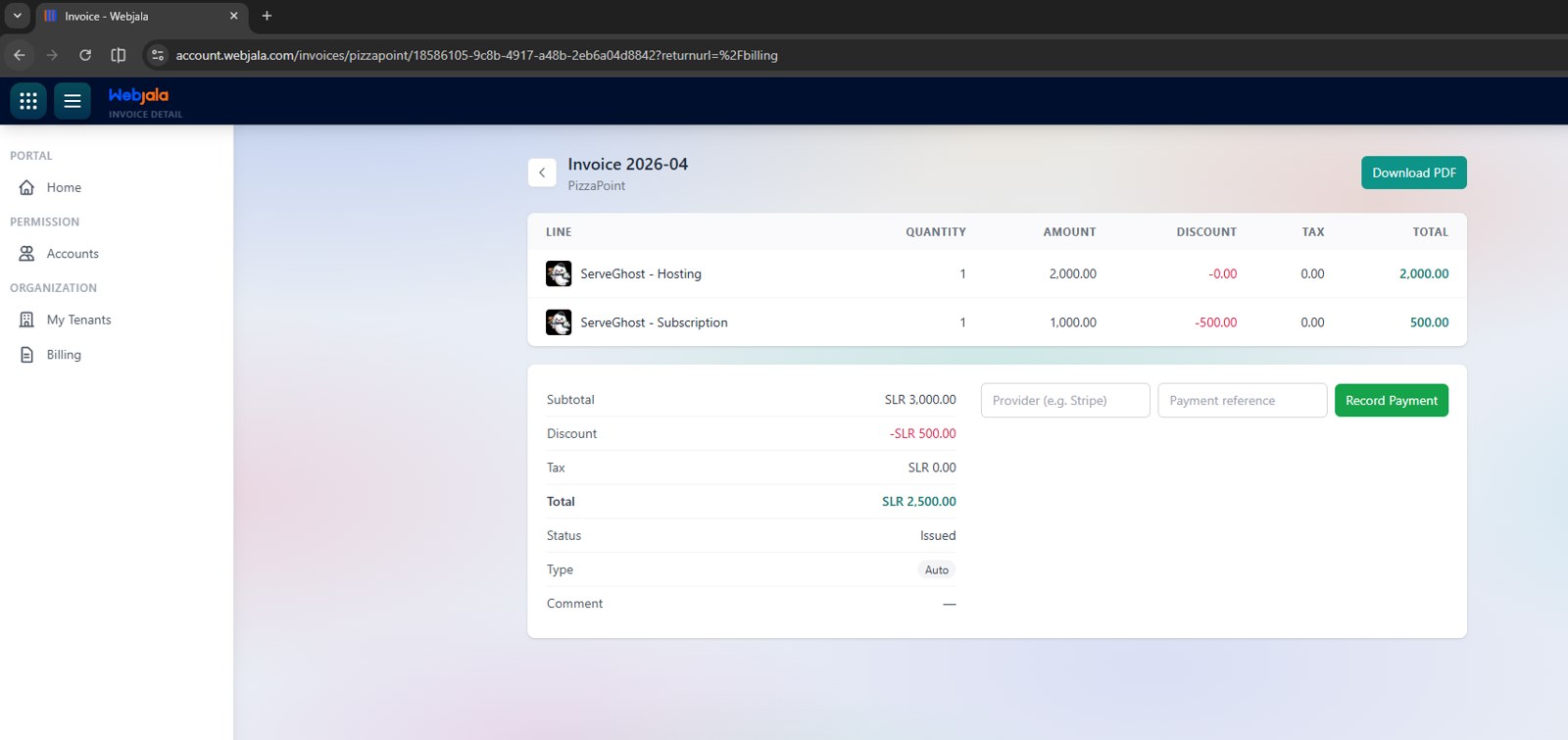
Step 2: Make the Payment
Transfer the exact invoice amount to the following bank account:
| Field | Details |
| Account Name | WEBJALA (PVT) LTD |
| Account Number | 1001021513 |
| Bank | Commercial Bank of Ceylon PLC |
| Branch | Horana |
Note: Please ensure you save a receipt or screenshot of the transaction confirmation.
Step 3: Record Your Payment
After the transfer is successful, you must notify our system:
-
Return to the Billing Page.
-
Click on the specific Invoice you just paid.
-
Select the Provider and enter your Payment Reference (e.g., transaction ID and/or your name).
-
Click Record Payment button.
Step 4: Approval
Once you have recorded the payment, our finance team will verify the receipt of funds. After confirmation, the invoice status will be updated to Approved.